
Built for offices that don't have an IT department.
Dental practices, accountants, law firms, shops. Your insurer is asking what you do to protect your network, and a spreadsheet isn't an answer. PhylaxNet is.
- Network monitoring running at every site
- Every device on the network is known
- Two-factor sign-in on
- Backups tested in the last 90 days
- Guest WiFi separated from office computers
- Monthly report sent to insurer
Look after every client from one screen.
The Clients view lists each business you manage, worst first: open alerts, unknown devices, and whether their office PC is online. Hand each client a monthly report with your name on the service.
Everything You Need. All in One Place.
Device Inventory
Every device, named, with maker, first seen and trust status. Export it for auditors.
Attack Detection
Router impersonation, network scans, rogue DHCP and DNS hijacks, flagged as they happen.
Malware Contact Alerts
Know when a device talks to a server researchers list as used by malware or criminals.
Insurance-Ready Reports
A monthly security report and readiness checklist, emailed to you, your accountant or your insurer.
Team Access
Invite staff or your IT provider as Admin or Viewer. Every change lands in an activity log.
Alerts Where You Work
Critical alerts by email, desktop pop-up, Slack, Microsoft Teams or Discord.
Block, Pause & Filter
Cut off any device, set schedules, and block adult, gambling or social sites — also from your phone.
Outage & Speed History
Every internet drop and speed test on record — proof when your provider isn't delivering.
Built for the attacks small offices actually get.
Floods that knock you offline, leaked passwords, fake emails sent in your name. PhylaxNet now watches for those too.
DDoS Attack Watch
Spots floods aimed at your office as they start, shows them live, and tells you what to do. Also catches an office device flooding others, a sign of botnet malware.
Data Leak Watch
Checks your emails and domain against known data breaches every week, and tests whether a password has leaked without ever sending it.
Email Spoofing Check
Checks that nobody can send email that looks like it came from your business (SPF, DKIM and DMARC), in plain English.
Filter Bypass Alerts
Notices devices dodging your web filter with VPN apps, encrypted DNS or Tor, and can block them.
Outdated Software
Reads what software your router, cameras and servers run, and flags versions with known security holes.
Internet Exposure
Shows what an attacker sees from outside: open services, router port forwards and risky UPnP, with how to close each one.
Also new: a security score out of 100 with the fixes that raise it most, a one-click insurance report PDF with your logo, employee computer checks, and phone alerts for critical threats.
Right now, you don't know everyone on your network. An old employee's laptop, a camera nobody updated, a neighbor on your WiFi. All quietly invisible.
Every device on your network, named and in view.
No more "unknown device." PhylaxNet maps your whole office in real time, so the front-desk PC, the card reader, the printer, and the one you don't recognize are all right there.
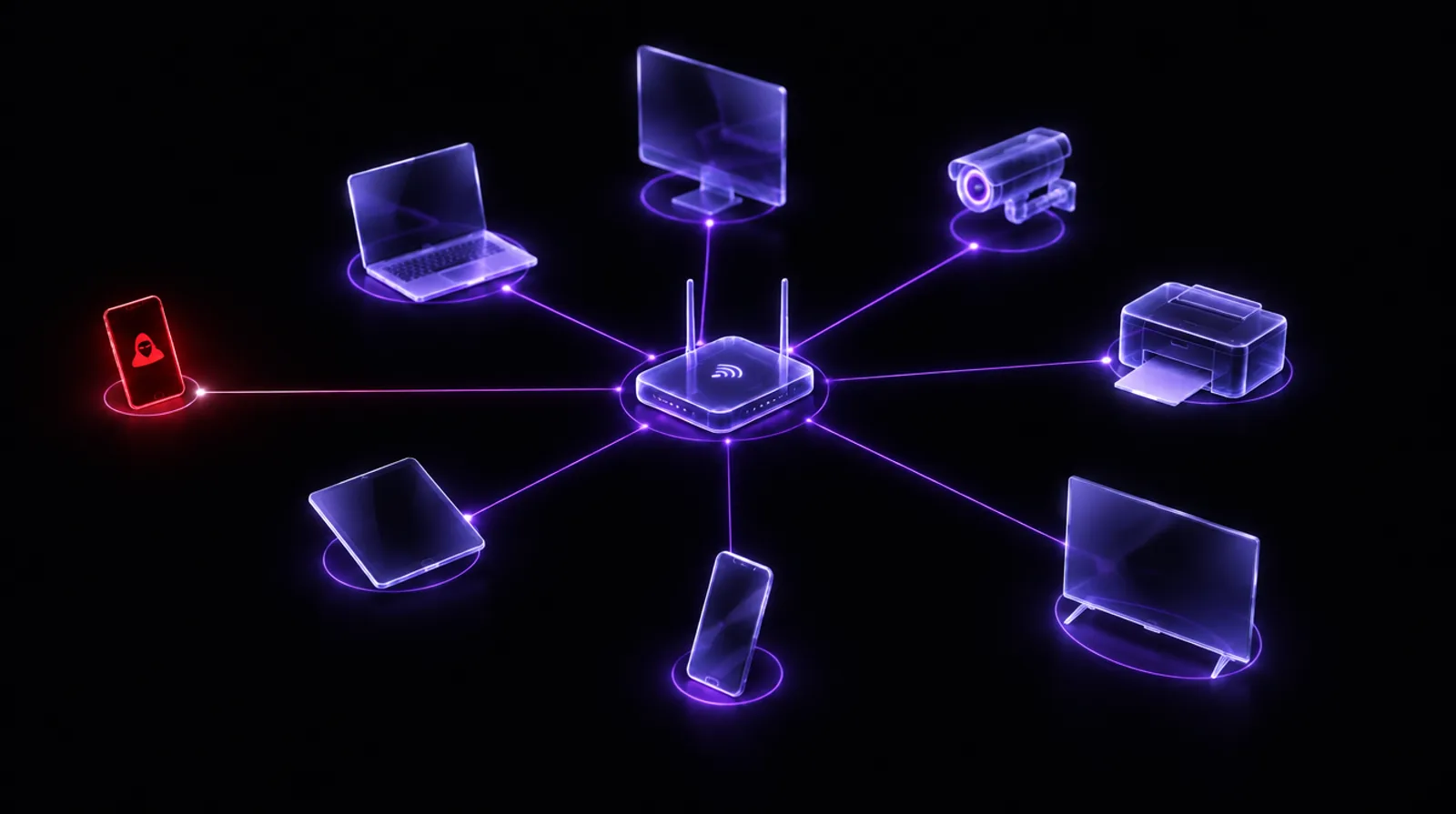
Hold to sweep your network.
Watch the unknowns turn into named devices, and the one that doesn't belong get shut out.
Connect. See. Control.
Connect
Install PhylaxNet on one Windows PC that stays on at each office or home. It finds the network on its own. No extra hardware.
See
Within minutes, every device shows up, named and sorted. Mark the ones you know; PhylaxNet watches for the ones you don't.
Stay covered
Get alerts the moment something's wrong, fix it in a click, and get your security report every month.
Simple pricing, per location.
Every plan starts with a free 14-day trial, no card needed. One location = one office or home, with one PC running PhylaxNet.
Home
- Every device, named and watched
- Attack & malware-contact alerts
- Family controls & content filter
- Data-leak alerts for your email
- Control it from your phone
Business
- Everything in Home
- DDoS alerts, email spoofing & exposure checks
- Cyber-insurance checklist & branded PDF reports
- Team access, roles & activity log
- Slack / Teams alerts, 25 monitored websites
IT Providers
- Everything in Business
- Clients view across every account
- Volume pricing per location
- Early access & a direct line to us
Secure checkout by Stripe. Cancel anytime from your account.
The things people ask before they trust it.
A Windows 10 or 11 PC at each location that stays switched on and is connected to the network you want to protect (a wired connection is best). A front-desk or back-office PC is perfect. No extra hardware.
It helps you answer the questions insurers ask: whether you know every device on your network, whether you monitor it, and whether you'd notice an attack. The readiness checklist walks through the rest (backups, two-factor, training), and the monthly report is a record you can send them. It can't guarantee cover. Every insurer decides for itself.
Yes. Invite them as an Admin in Settings → Team. They sign in with their own login and see your account alongside their other clients. Everything they change is recorded in your activity log.
No. You install it on one PC and PhylaxNet finds the network by itself. A setup guide walks you through naming your devices, and every alert comes with plain-English steps to fix it.
It won't. PhylaxNet watches quietly in the background and barely touches your bandwidth. If anything, it helps you find what is slowing things down, like a device hogging the connection or a neighbor on your WiFi.
Not at all. That is the whole point. PhylaxNet turns the confusing parts, like unknown devices and attacks with scary names, into plain language and one-tap actions anyone can follow.
It spots one as it starts, shows you what kind it is and how big, keeps a record, and tells you exactly who to call and what to ask for. A flood big enough to fill your internet line has to be filtered by your internet provider before it reaches you, so no box or app in your office can fully block it. PhylaxNet makes sure you know within seconds and have the evidence ready.
The app turns the password into a scrambled code on your PC and sends only the first five characters of that code to Have I Been Pwned. It gets back a list of matching leaked codes and checks for yours on your PC. Your password, and even its full code, never leave the computer.
Yes. Traffic, the sites devices visit and content-filter lookups stay on your own PC. Your dashboard only receives the device list and security alerts. We never sell data or show ads. Read the privacy policy.
Every device on the network, and attacks aimed at the network (like something impersonating your router). It sees the detailed traffic of the PC it runs on, plus what it can observe from the rest of the network. It isn't a firewall and doesn't replace antivirus on each computer. It's the layer that tells you what's on your network and when something is wrong.
Help shape PhylaxNet. Use it free while you do.
We're taking a small group of offices and IT providers. You get PhylaxNet free during the beta and a direct line to us; we get honest feedback. Tell us a little about your network.
Stop wondering who's on your network.
Start a free 14-day trial for your office or home. No card needed.